Ebook help
Your book is only a few taps away.
You received an EPUB, the standard ebook file used by Kindle, Apple Books, Kobo, and most reading apps. Pick your device below and follow the pictures.
You will not need to buy the book again. These steps simply add the copy you already own to your reader.
Start here
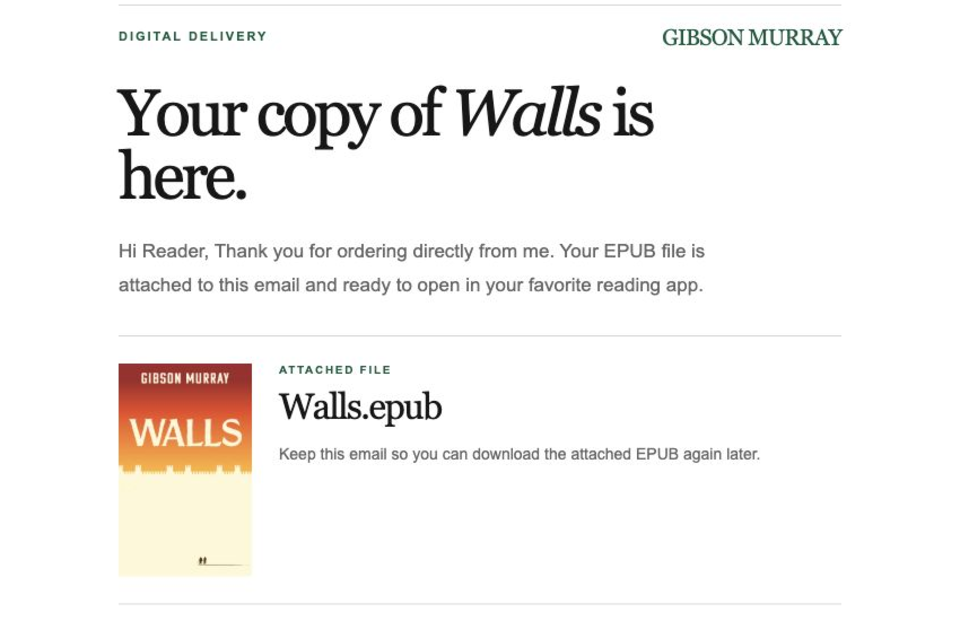
Find the book file in your email.
Open the delivery email with the subject Your ebook copy of Walls. Near the bottom, look for the attachment ending in .epub.
- 01
Open your delivery email
Search your inbox for “Your ebook copy of Walls.”
- 02
Find the EPUB attachment
It is named “Walls - Gibson Murray.epub.”
- 03
Tap or download it
Keep the file open while you follow the instructions for your reader below.
Kindle
Send it to your Kindle library.
This works for Kindle devices and the Kindle app. Once uploaded, the book appears in your Kindle library on devices signed in to the same Amazon account.
- 01
Save the EPUB attachment
In your email, tap or click the EPUB and save it to Files, Downloads, or your desktop.
- 02
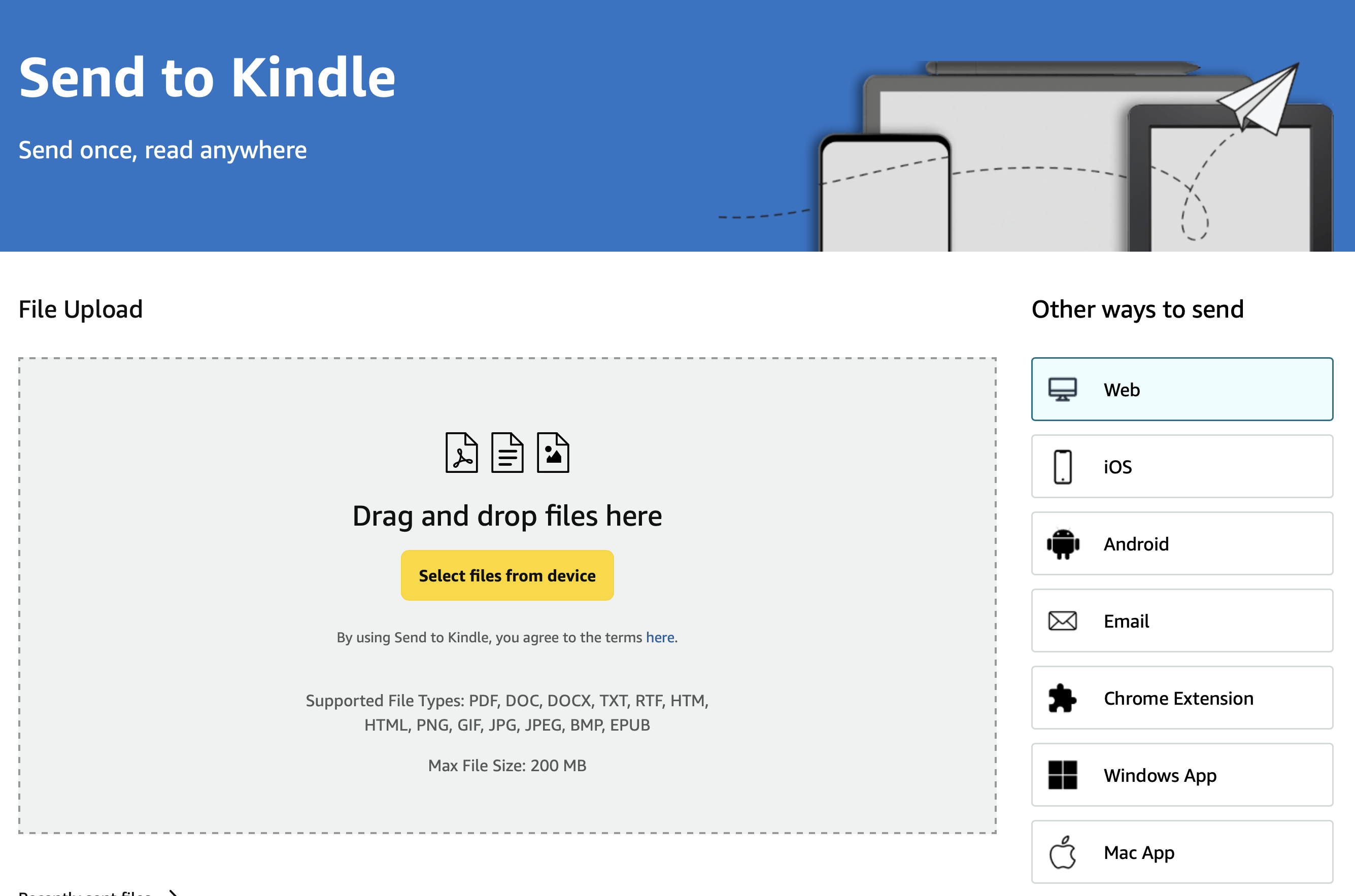
Open Send to Kindle
Visit amazon.com/sendtokindle and sign in with the Amazon account used by your Kindle.
- 03
Choose the EPUB
Tap “Select files,” choose the Walls EPUB, then confirm the upload.
- 04
Open your Kindle library
After a few minutes, sync or refresh your library and tap the Walls cover.
- Open Send to Kindle
Apple Books
Open it on iPhone, iPad, or Mac.
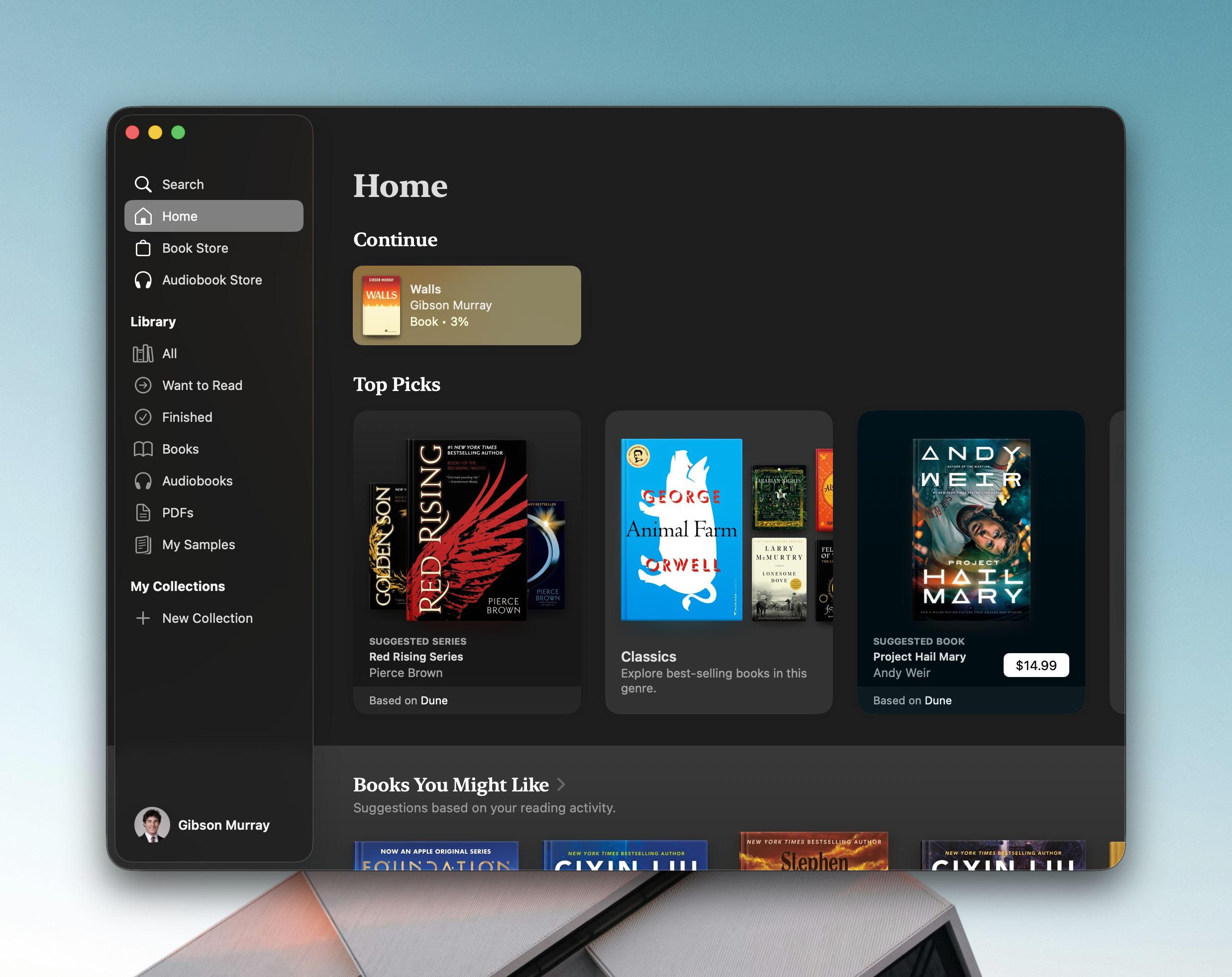
Apple devices recognize EPUB files. In most cases, tapping the attachment opens it in Books immediately.
- 01
Tap the EPUB attachment
On iPhone or iPad, tap the attached EPUB in your delivery email.
- 02
Choose Books if asked
If a menu appears, tap Books. You may need to tap Share or More first.
- 03
Start reading
Apple Books opens and adds Walls to your library.
- Mac
On a Mac
Download the EPUB and double-click it. You can also open Books and choose File, then Import.
Other readers
Use any app that supports EPUB.
The exact wording may vary, but the pattern is the same: download the EPUB, open it, and choose your reading app.
- 01
Download the EPUB
Save the attachment to your Downloads or Files app.
- 02
Open the file
Tap or double-click “Walls - Gibson Murray.epub.”
- 03
Choose a reader
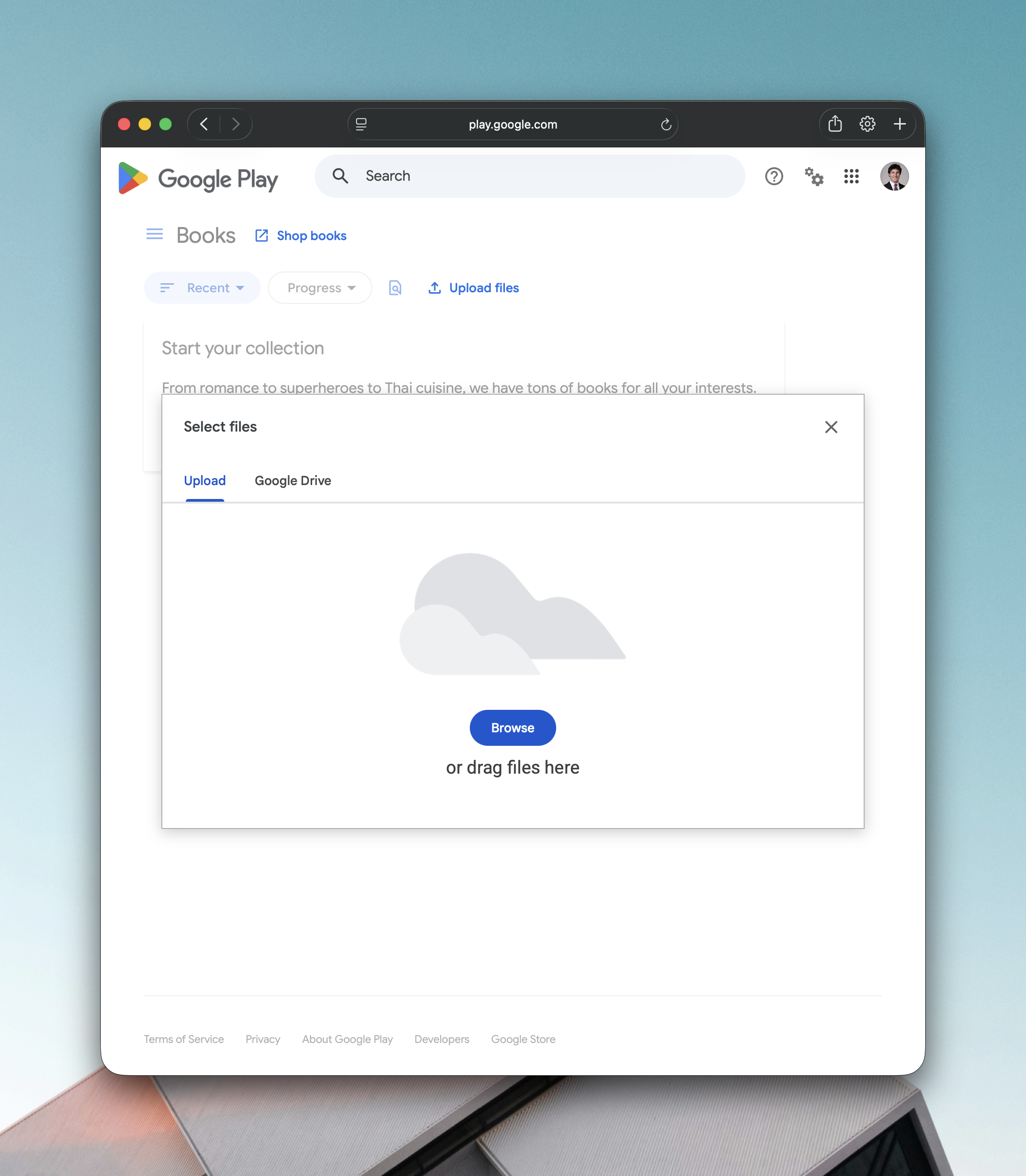
Select Play Books, Kobo, or another EPUB-reading app when your device asks how to open the file.
- 04
Look in your library
The imported book should appear in that app’s library or uploads section.
- Upload with Google Play Books
Android phone or tablet
Open the file from Downloads, then choose Play Books or your preferred EPUB reader.
Windows or Chromebook
Upload the EPUB to Play Books, use Send to Kindle, or open it with an EPUB app.
Kobo or another e-reader
Use the manufacturer’s import tool, or connect the reader to a computer and copy the EPUB onto it.
Still stuck?
We will help you get reading.
Cannot find the delivery email?Check Spam, Promotions, and the email address used at checkout.
Something looks different?Menus vary a little by device. Look for Share, Open With, Import, or Upload.